One screen at the station. Everything the plant needs runs through it.

It shows the current revision. It checks the work as it happens. It records what was actually built. It changes when the part in front of them changes. And when the instruction runs out, it puts a person on the other end. Live in weeks, on one line, without touching anything else you run.

Six things happen where the work happens

Not six products, and not six logins. One screen the operator is already looking at, doing all of it.

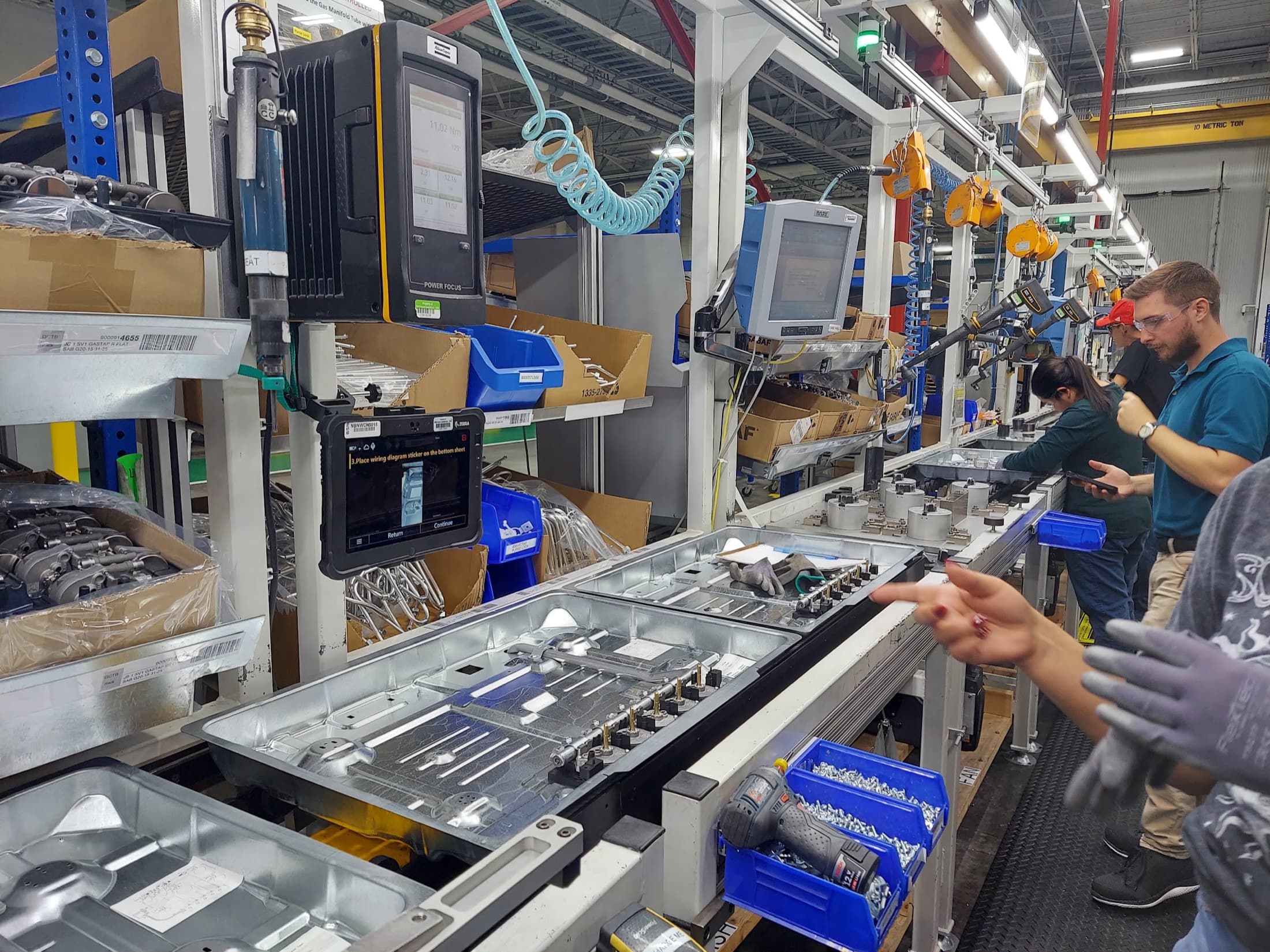
A ruggedized tablet mounted at an assembly station, showing the current work instruction step beside the parts and torque tool it refers to.
The instruction, at the bench, on the current revision.
  • 01Instruct

    How to build it, at the moment they build it

    The current revision, in front of the operator, in the format the work actually needs. Video for the tricky step, a torque value where it matters, a photo of what right looks like.

    A new hire runs the job correctly on day two, not week six.

  • 02Capture

    Information gathered without anyone being asked for it

    Scans, readings, cycle times, tool data and photos land as the work happens. Nobody transcribes a clipboard at the end of shift, because there is no clipboard.

    Quality data is captured at the station, not typed in on Friday.

  • 03Enforce

    The step does not advance until it is right

    Checks live inside the sequence rather than beside it. An out-of-spec reading stops the job, opens the non-conformance, and attaches the revision and the last action automatically.

    The defect gets caught at the station instead of at the customer.

  • 04Record

    What was actually built, not what the drawing said

    Serial and lot identity, component genealogy, measured values, operator, station, timestamp, and every deviation with its disposition. Assembled as a by-product of the job.

    Traceability is a query, not a filing cabinet.

  • 05Adapt

    The instruction changes with what is in front of them

    A different variant, a different revision, a scanned serial, a failed check, a fault code on the machine. The sequence branches to match the situation instead of making the operator find the right page.

    Troubleshooting stops depending on who happens to be on shift.

  • 06Assist

    When the instruction runs out, a person is one tap away

    Remote expert support from the same screen, hands-free on a headset. The specialist sees what the operator sees and talks them to the next step, and what gets solved becomes the next revision.

    The line keeps moving without waiting for someone to fly in.

None of that requires replacing what you already run.

Start here. Send us your whiteboard.

Most plants already have the process drawn somewhere. A board in the quality office, a routing in a binder, a senior operator who knows the sequence by heart. Send us a photo of it and in under a week it is running at the station: the steps, the checks, the revisions, writing a record as the job moves.

Author from CAD, video, PDF, or voice. Deploy to tablets or to RealWear HMT-1 smartglasses. Quality checkpoints, barcode scanning, and full traceability are built in, not sold as add-ons.

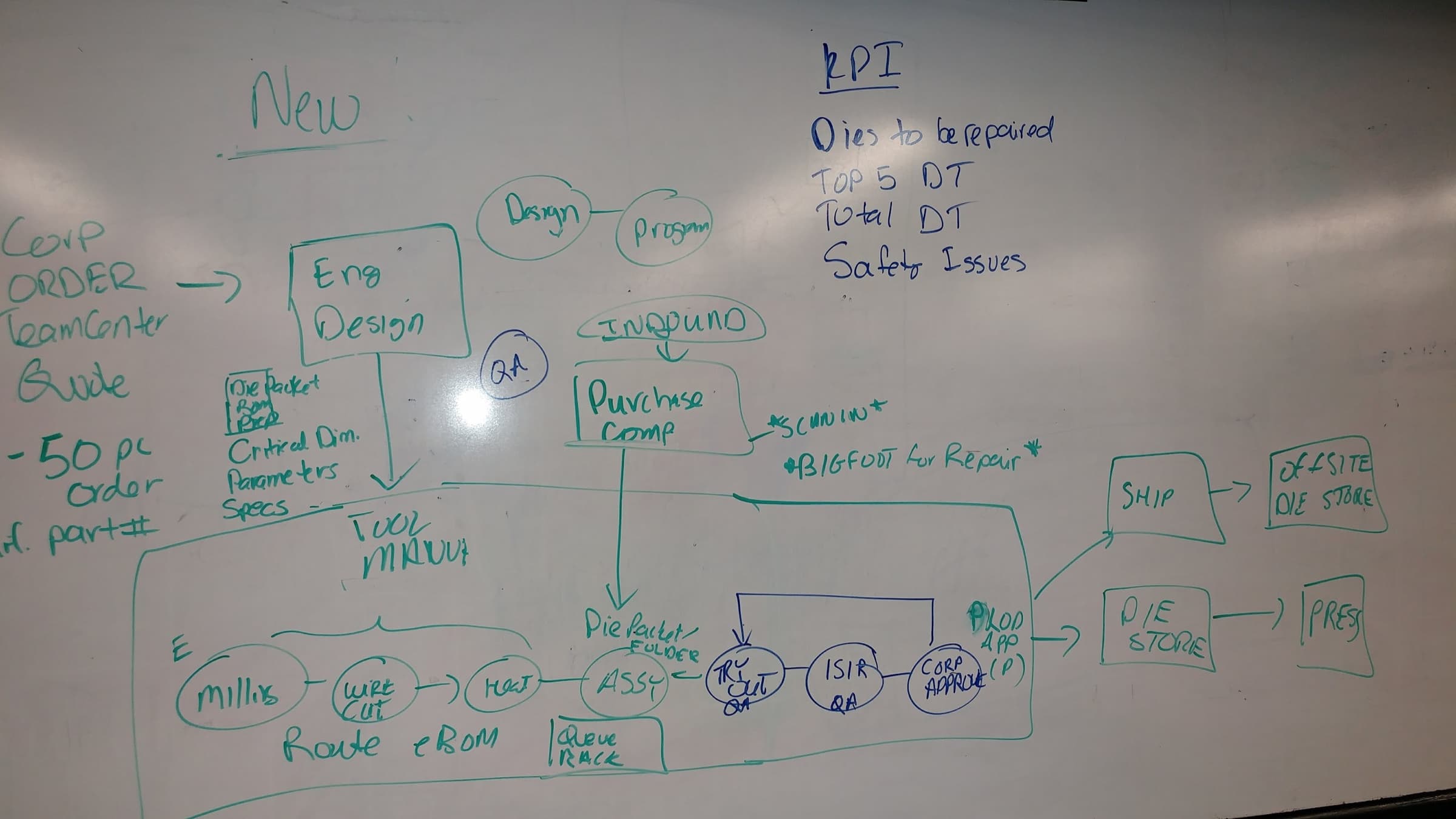
A whiteboard showing a tool and die process drawn end to end in green marker, with the quality gates circled in blue over the top.
Eight operations. Three quality gates. Two approvals.
Start here

Launch Pilot

$2,500 one time

Six weeks on one production line, run with your team.

Start a Launch Pilot
  • Six weeks, one production line
  • Up to ten work instructions authored with your team
  • Two RealWear HMT-1 headsets included
  • The full $2,500 credits toward your first annual if you continue

After the pilot

The $2,500 credits in full toward your first annual.

Method Annual

$12,000/ year

Includes two RealWear HMT-1 smartglasses. Additional headsets $397 each.

Method Monthly

$1,000/ month

Headsets $397 per unit.

  • Unlimited users
  • Unlimited work instructions
  • All software features included
  • No minimums, no per-seat math
See everything Method does

Seven plants. One line our competitors cannot write.

Seven connected-worker deployments across automotive, appliance, industrial, and logistics.

  • BSH
  • Bühler
  • BMW North America
  • DHL Supply Chain
  • Unipres

We implemented, customized, integrated, trained, and supported those rollouts. For two of them we shipped the operator experience under the customer’s own brand. We learned what works at that scale, what breaks, and what a plant actually needs on the floor. ForgeOS is what we built when we wanted to do it our way.

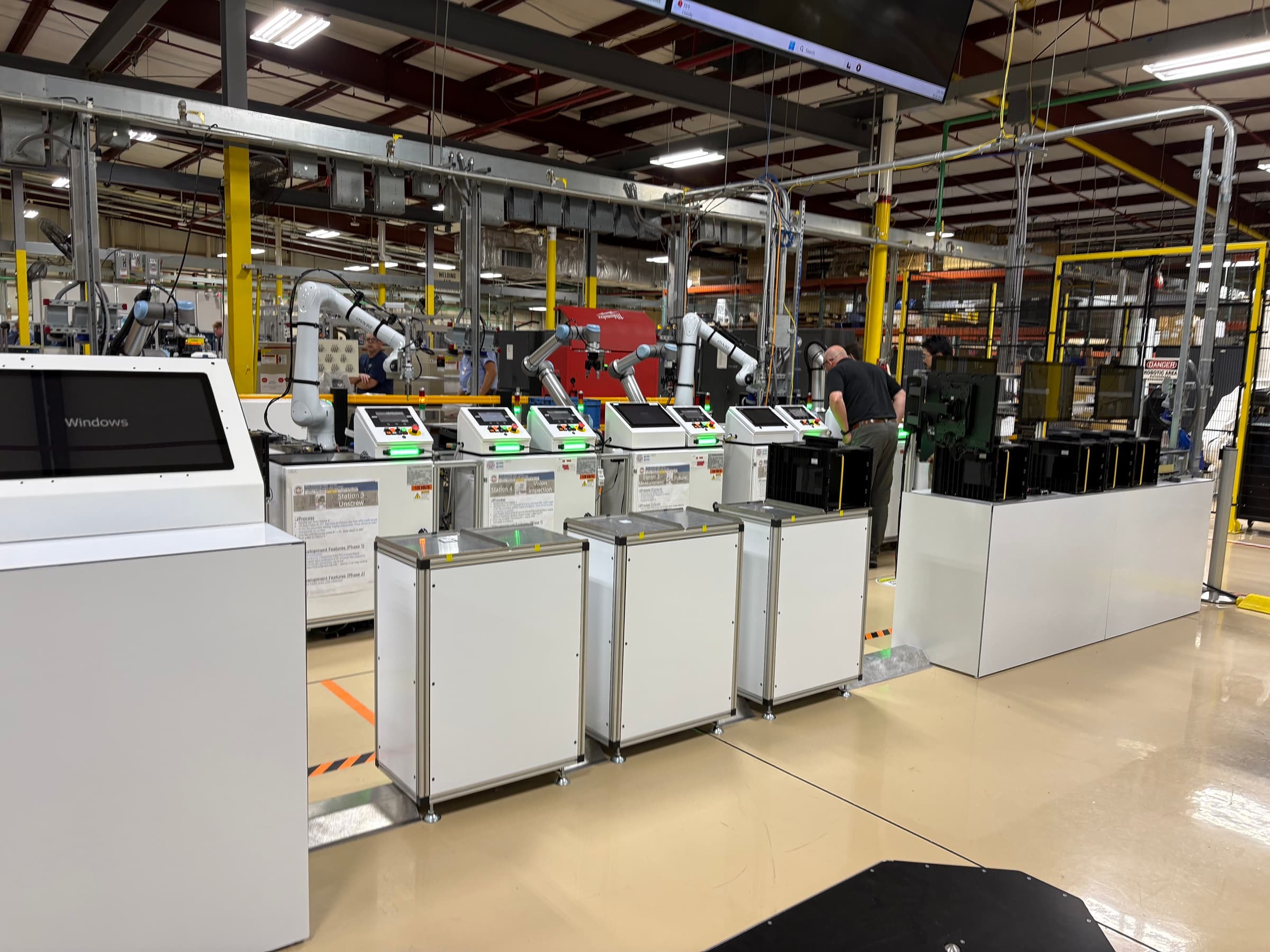
An assembly cell on a bright plant floor: collaborative robot arms, touchscreen terminals at each station, and part carts staged along a marked walkway.
Seven of these. Automotive, appliance, industrial, logistics.

Two of those deployments were remote expert support at scale, with a specialist seeing what the technician sees and talking them through the fix. That is not a feature we imagined for the roadmap. It is the sixth thing on the list above, and we rolled it out across a global service organization and a national dealer network before ForgeOS existed.

What is behind the screen

The work instruction is the surface. Underneath it, ForgeOS runs production scheduling, quality with live SPC, equipment and machine data, and the connection to your ERP. Same platform, same login, same record.

You do not migrate to reach any of it. A work instruction attaches to a production operation the moment you turn scheduling on, and the checks the operator was already performing become the SPC data. Nothing gets re-authored and nobody gets retrained, because the screen they use does not change.
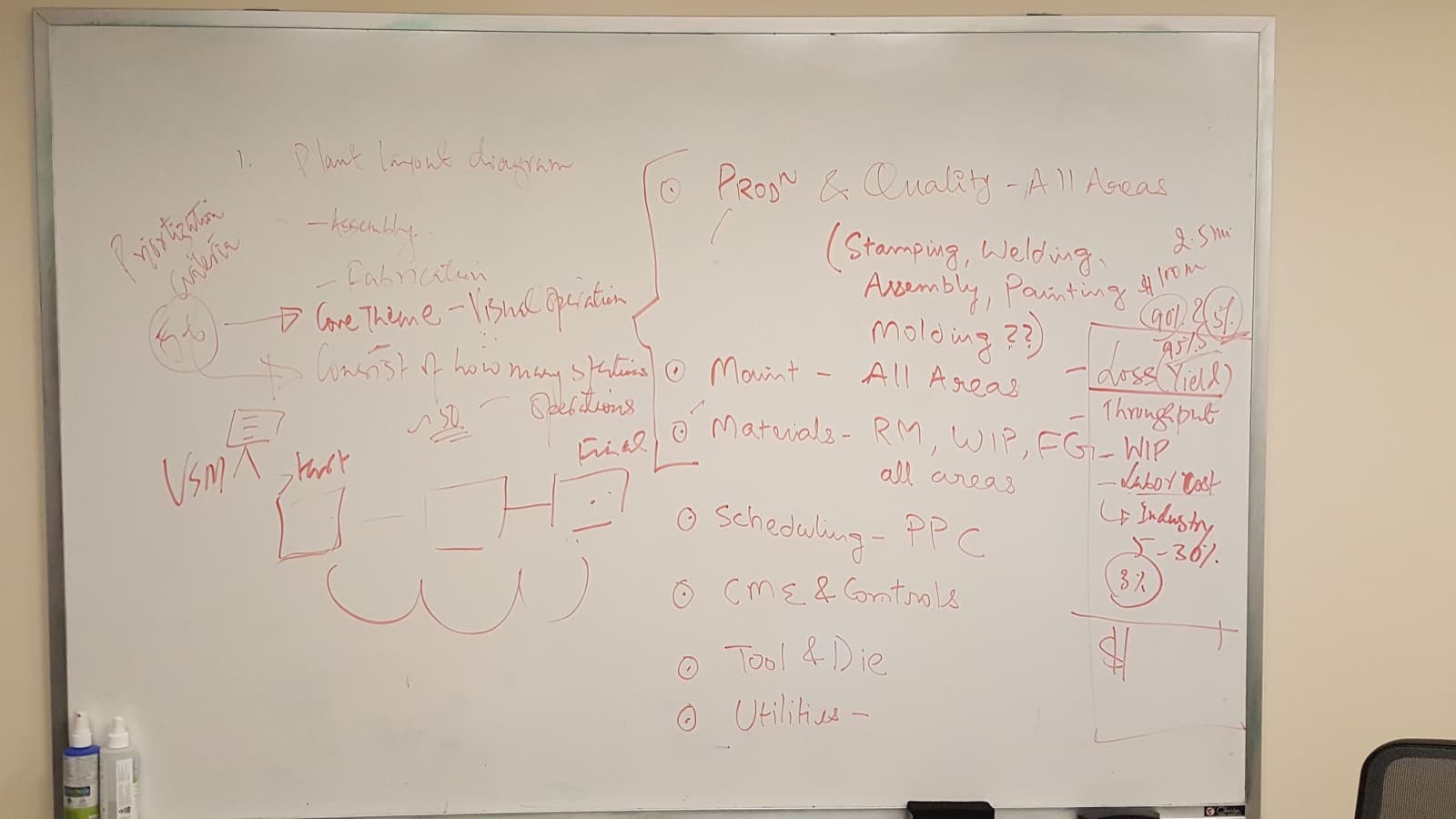
A whiteboard from a plant assessment, listing production areas, materials, scheduling and maintenance in red marker.
Their list, not ours.

That board is from a plant assessment, and the scope list down the right of it was written by the plant, not by us. Production and quality across every area, maintenance, materials from raw through WIP to finished goods, scheduling, controls, tooling. Nobody in that room was listing software features. They were listing the parts of the operation that have to hold together, which is the same list, arrived at from the other direction.

See the full platform

Whatever is underneath, the operator sees the same screen.

Some plants run a full MES. Some run an ERP and a decade of spreadsheets. Some are standing up a new line with nothing behind it yet. All three get the same thing at the station, because what the plant keeps as its system of record is a separate question from how the work gets done.

ForgeOS connects to what you have. No rip and replace. Keep Rockwell, Siemens, or SAP where they are and modernize the layer your operators actually touch. If you are running a legacy MES that takes eighteen months to change, ForgeOS Modernization sits on top of it and gives you a path forward without a shutdown.

And if there is nothing underneath yet, that is not a gap to fill before you start. It is one less thing to integrate.

Native data platform integration.

Cognite CDF and DataMosaix supported out of the box.

See how modernization works

See it built live

On a fifteen minute call, tell us a feature you need and we build it while you watch. Not a mockup. A working feature running on the platform. If we cannot, we do not ask for a next step.

Book the live build

Your people are already building it. Give them the screen that helps.